
Lighting Strategies to Elevate Your Gaming Room Experience
Understanding the Importance of Lighting in Your Gaming Room
Lighting is a crucial yet often overlooked aspect of creating an immersive gaming environment. The right lighting can enhance visual clarity, reduce eye strain, and set the mood for your gaming adventures. Whether you’re diving into the depths of a fantasy RPG or strategizing in a fast-paced shooter, proper lighting elevates the overall experience.
In this guide, we'll explore practical lighting strategies that can transform your gaming room into an epic battleground or a serene escape, depending on your preferences.
Choosing the Right Type of Lighting
Before diving into setups, it’s essential to understand the different types of lighting you can incorporate into your gaming space:
- Ambient Lighting: This is the general lighting that fills the room. Typically provided by ceiling lights, it ensures that the room is not too dark, preventing eye strain.
- Task Lighting: Used for specific activities like reading manuals or making notes. A desk lamp or an adjustable wall lamp works well here.
- Accent Lighting: This is decorative lighting used to highlight certain areas or items, such as posters or action figures.
The Balance of Natural and Artificial Light
A balance between natural and artificial light is key in any gaming setup. If possible, position your gaming station near a window to take advantage of daylight, which helps reduce reliance on artificial light and provides a dynamic change in room brightness throughout the day.
Setting Up Your Gaming Room Lighting
Ambient Lighting Strategies
Avoid harsh overhead lights that can create glare on your screens. Instead, opt for dimmable LED ceiling lights or smart bulbs. These allow you to adjust brightness according to the time of day and the type of game you're playing.
Tip: Use soft white bulbs (2700K-3000K) for a warm atmosphere or daylight bulbs (5000K-6500K) for a cooler, more alert environment.
Task Lighting Solutions
A focused task light is essential for activities requiring precision. Consider adding a swing-arm desk lamp with adjustable intensity next to your gaming console or computer.
- Choose a lamp with a flexible neck so you can direct light exactly where you need it without repositioning your entire setup.
- Avoid placing task lights in direct line with screens to prevent reflections and glare.
Accent Lighting for Aesthetic Flair
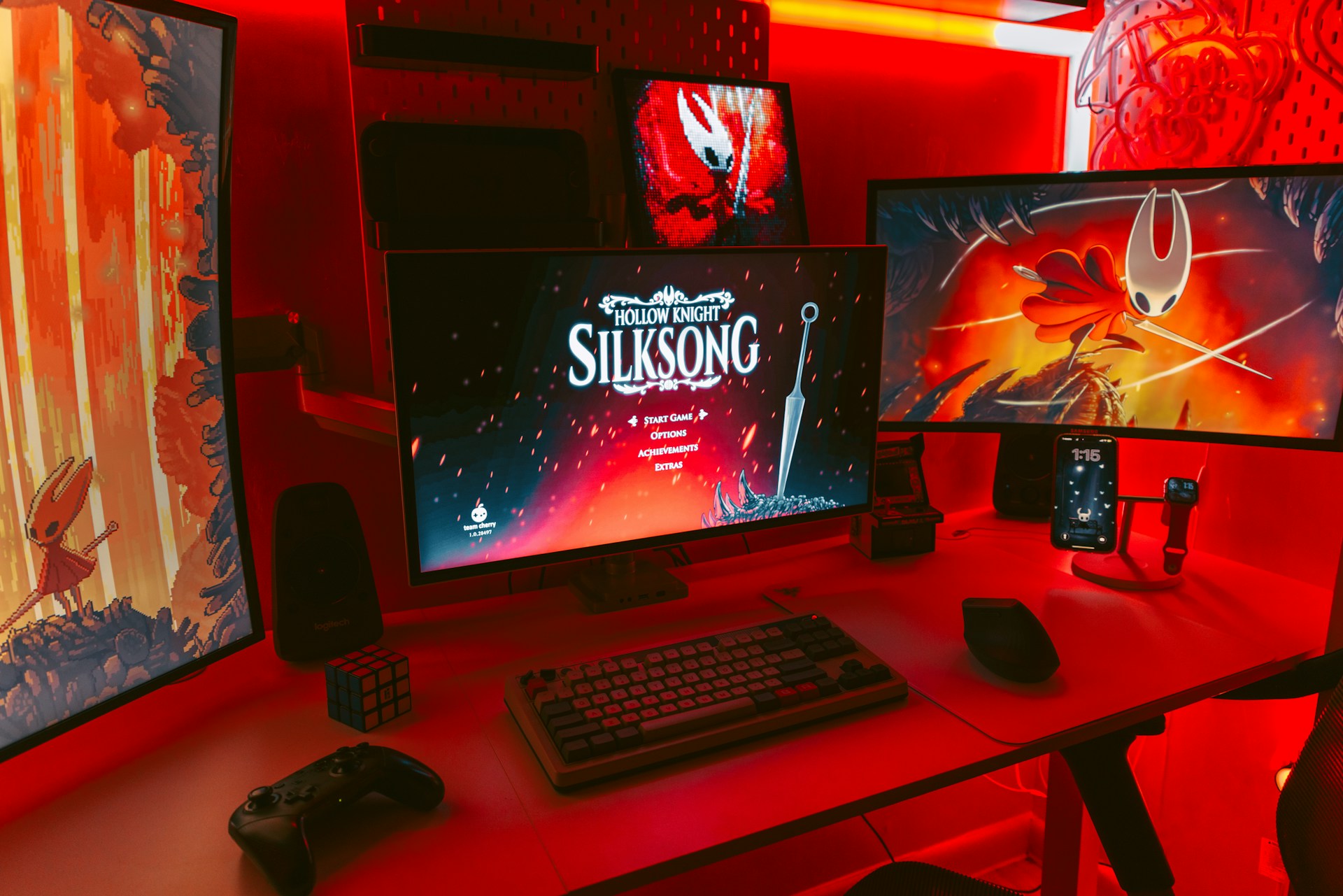
RGB LED strips are popular among gamers for accent lighting. They can be placed behind monitors, under desks, or along shelves to add a colorful touch that reflects your gaming style.
Create themed lighting scenes using smart lights that sync with your gameplay. For example, program lights to change colors in response to in-game actions or ambient sound.
Practical Lighting Layouts
Example Setup: Minimalist Gaming Nook
This setup focuses on simplicity and functionality. Place a single floor lamp with a smart bulb near your seating area to provide ambient light. Add a clip-on LED lamp to your monitor for task lighting during late-night sessions.
- Position RGB LED strips behind your desk for subtle accent lighting.
- Ensure all lights are controllable via remote or smartphone app for convenience.
Example Setup: Immersive Gaming Den
For those who want full immersion, consider installing dimmable recessed ceiling lights paired with a few strategically placed spotlights on shelves displaying collectibles.
- Incorporate interactive smart bulbs that react to music and sounds within your games.
- Add under-cabinet lighting beneath floating shelves to highlight gaming accessories and memorabilia.
Enhancing Gaming Experience with Tech Arrangement
Cable Management and Clutter Reduction
An organized space enhances focus and reduces stress. Use cable clips and zip ties to manage cables neatly along the back of desks or along walls. Consider wireless peripherals to minimize cable mess further.
Monitor and Furniture Positioning
The placement of monitors and furniture affects how light interacts with your space. Avoid direct screen exposure to windows or bright lights by angling monitors away from these sources.
- Adjust monitor height so the top third aligns with your eyes when seated comfortably, reducing neck strain.
- Use blackout curtains if necessary to control natural light during daytime gaming sessions.
A Simple Lighting Framework for Gamers
This mini-framework offers a structured approach to refining your gaming room's lighting:
- Assess Your Space: Identify natural light sources and current lighting fixtures.
- Select Your Tools: Choose appropriate lights—ambient, task, and accent—based on your room layout and preferences.
- Create Zones: Divide your space into different zones—gaming area, relaxation spot, etc.—and plan lighting for each zone specifically.
- Implement Smart Controls: Use smart bulbs or plugs to automate lighting scenarios based on time or activity (gaming, watching movies).
- Regular Review: Periodically evaluate the effectiveness of your lighting setup and make adjustments as needed.
Conclusion
An optimized lighting setup transforms your gaming room into more than just a place to play games; it becomes an immersive environment that enhances performance and enjoyment. With careful planning and execution, lighting can significantly elevate your gaming experience. Take inspiration from the examples above and tailor them to fit your unique style and needs.