
Optimizing FPS Control Layouts for Competitive Edge in Gameplay
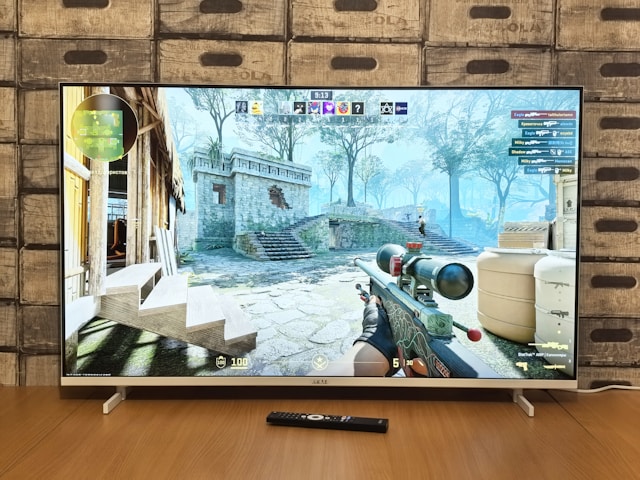
Understanding FPS Control Layouts: A Key to Success
In the world of first-person shooters (FPS), milliseconds can mean the difference between victory and defeat. For competitive players, optimizing control layouts is crucial to achieving a seamless gaming experience that maximizes reaction time and accuracy. This guide explores how to fine-tune your controls, focusing on sensitivity settings and key bindings that can significantly enhance player performance.
The Importance of Sensitivity Settings
Sensitivity settings are a cornerstone of any FPS player's configuration. They determine how quickly your in-game character reacts to your mouse or joystick movements. Getting this right is essential for precise aiming and swift turns.
Finding the perfect sensitivity setting requires experimentation. Start by choosing a DPI (dots per inch) setting on your mouse, typically ranging from 400 to 1600 DPI for most FPS games. Lower DPIs offer finer control but may require more sweeping movements, while higher DPIs provide faster responsiveness at the cost of precision.
- Start with Default Settings: Begin with the game's default sensitivity settings and gradually adjust to find what feels comfortable.
- Adjust Gradually: Make small adjustments to your sensitivity settings; minor tweaks can result in significant performance changes.
- Use Practice Modes: Utilize practice modes or offline matches to test different settings without impacting your rank or stats.
Key Bindings: Streamlining Your Inputs
Key bindings are another critical component of your control layout. Efficient bindings ensure you perform complex actions quickly, allowing you to focus more on strategy and less on mechanical execution.
A standard keyboard layout may not suit every player, especially left-handed individuals or those using non-standard keyboards. Customizing key bindings allows you to tailor the setup to your ergonomic needs.
- Prioritize Frequently Used Actions: Bind actions like crouching, jumping, or reloading close to WASD keys for easy access.
- Utilize Extra Mouse Buttons: If available, map essential functions such as grenade throws or melee attacks to extra mouse buttons.
- Consistency Across Games: Use similar key bindings across different games to build muscle memory.
Trade-offs Between Different Layouts
Each player has unique preferences and needs when it comes to control layouts. However, understanding the trade-offs between different setups can help optimize for specific gameplay styles.
Aggressive vs. Defensive Playstyles
An aggressive playstyle might benefit from a higher sensitivity setting, allowing for rapid reactions and quick target acquisition. Conversely, a defensive style may favor lower sensitivity to enhance precision when holding positions or aiming for long-range shots.
Mouse vs. Controller: Which is Better?
The age-old debate between mouse and keyboard setups versus controllers remains unresolved, as each has distinct advantages.
- Mouse & Keyboard: Offers superior aiming precision and customization options for key bindings. Ideal for players who prioritize accuracy over comfort.
- Controller: Provides an ergonomic design and analog stick movement, often preferred by players accustomed to console gaming. Auto-aim features in some games can balance the lack of precision.
Tuning Reaction Time Through Hardware
Besides software settings, hardware plays a pivotal role in optimizing your control layout. Investing in quality peripherals can significantly improve reaction times and overall gameplay efficiency.
Choosing the Right Mouse
A gaming mouse with adjustable DPI settings, additional buttons, and ergonomic design is ideal for FPS games. Look for features such as high polling rates (1000 Hz or above) for faster data transmission between the mouse and your PC.
Optimizing Your Keyboard Setup
Select a mechanical keyboard with responsive switches like Cherry MX Reds or Browns. These provide tactile feedback with minimal actuation force, perfect for rapid key presses during intense gaming sessions.
Gaming Headsets: Sound as a Tool
A high-quality headset can provide audio cues that boost situational awareness. Features like surround sound can help pinpoint enemy locations based on footsteps or gunfire.
A Practical Mini-Framework for Control Optimization
The following step-by-step mini-framework is designed to help you methodically optimize your control layout:
- Evaluate Current Setup: Play a few rounds with your current settings and note any areas where you feel hindered.
- Research Pro Players: Look at configurations used by top players in the community for inspiration and benchmarks.
- Experiment Incrementally: Change one setting at a time, such as sensitivity or key binding, and assess its impact on gameplay.
- Practice Consistently: Spend time in practice modes or against bots to solidify muscle memory with new settings.
- Monitor Performance: Track improvements in accuracy, reaction time, and win rate to ensure adjustments are beneficial.
Conclusion
Optimizing FPS control layouts is an iterative process that involves balancing sensitivity settings and key bindings tailored to your playstyle. Whether you prefer the precision of a mouse and keyboard or the comfort of a controller, the right setup can give you a significant competitive edge. Remember that practice makes perfect—consistently refine your controls, stay adaptable, and keep honing your skills. By leveraging the mini-framework provided, you can systematically improve your setup and enhance your performance in FPS games.