
Balancing Hardware Components for Optimal Gaming Efficiency
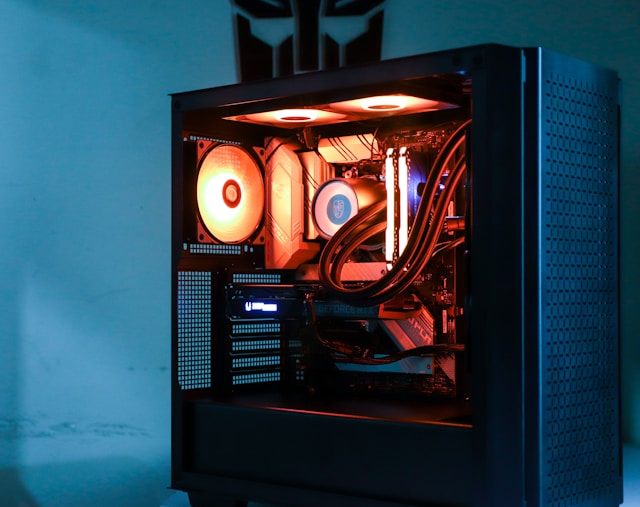
Understanding the Core Components of a Gaming PC
To enhance your PC gaming experience, it's essential to understand the core components that contribute to your rig's overall performance. These include the CPU, GPU, RAM, storage devices, motherboard, and power supply. Each plays a unique role in how your games run, and balancing them effectively can lead to significant improvements in gaming efficiency.
CPU: The Brain of Your System
Your computer's central processing unit (CPU) is responsible for executing instructions from your games and applications. A strong CPU can handle complex calculations, allowing for smoother gameplay. When selecting a CPU, consider models like the AMD Ryzen 5 or Intel Core i5, which provide a good balance of performance and affordability for most gamers.
GPU: The Heart of Gaming
The graphics processing unit (GPU) is crucial for rendering images, animations, and video. Modern games demand high-performance GPUs like the NVIDIA GeForce RTX series or the AMD Radeon RX series. These models offer excellent graphics performance, ray tracing capabilities, and often come with features that enhance the visual quality of your games.
RAM: Short-Term Memory Matters
Random Access Memory (RAM) acts as the short-term memory of your PC. For gaming, 16GB of RAM is typically recommended to ensure smooth multitasking and prevent bottlenecks. High-speed RAM (3200MHz or higher) can also improve performance, particularly in memory-intensive games.
The Importance of Cooling Solutions
Efficient cooling solutions are vital in maintaining optimal hardware performance and extending the lifespan of your components. Overheating can cause throttling, where your CPU or GPU reduces its performance to prevent damage.
Air vs. Liquid Cooling
Air cooling is more budget-friendly and easier to maintain. Products like the Cooler Master Hyper 212 are popular choices due to their effectiveness and affordability. However, if you're pushing your system with overclocking or high-end components, liquid cooling might be necessary. Systems like the Corsair Hydro Series offer efficient thermal management while reducing noise levels.
Case Selection for Optimal Airflow
Your case plays a pivotal role in ensuring proper airflow. Look for cases with multiple fan mounts and mesh panels to facilitate better air circulation. Brands like NZXT and Fractal Design offer cases that balance aesthetics with functionality.
Optimization Settings for Improved Performance
Once your hardware is optimized, software settings can further enhance gaming performance. Tailoring these settings involves both in-game adjustments and system-level configurations.
Graphics Settings Tweaks
Adjusting your game's graphics settings can yield significant performance gains. Lowering shadow details, turning off unnecessary effects like motion blur, or adjusting texture quality can increase FPS without significantly compromising visual quality. Tools like GeForce Experience or AMD Radeon Software provide one-click optimization tailored to your hardware.
System-Level Configurations
- Driver Updates: Regularly updating your GPU drivers can offer performance enhancements and bug fixes.
- Overclocking: Use software like MSI Afterburner to safely overclock your GPU and CPU, squeezing additional performance out of your hardware.
- Background Processes: Disable unnecessary startup programs using Task Manager to free up system resources.
Checklist for Harmonious Component Integration
A well-balanced gaming rig ensures that no single component holds back the others. Use this checklist to guide your hardware decisions:
- Ensure your CPU and GPU are compatible and balanced in terms of performance tiers.
- Confirm your RAM speed and capacity align with your motherboard and CPU specifications.
- Select a motherboard that supports future upgrades, such as additional RAM slots and M.2 storage options.
- Adequately size your power supply; opt for at least an 80 PLUS Bronze certification for efficiency.
- Maintain consistent driver updates across all components to leverage the latest features and enhancements.
Tying It All Together for Ultimate Gaming Efficiency
Balancing hardware components in your gaming PC isn't just about choosing the most expensive parts; it's about ensuring each component complements the others in terms of performance and capability. By following these guidelines—selecting appropriate components, implementing effective cooling solutions, optimizing settings, and using a balanced approach—you'll create a system that not only meets current gaming demands but is also poised to tackle future advancements.